



Your photographs, beyond the screen
A wedding photograph becomes part of everyday life when you can hold it, frame it or turn its page.
Printing your wedding photos gives you a beautiful way to revisit the people and moments you love. An album, a framed photograph or a small box of prints can tell your story in a different way from an online gallery. Here is how to choose images, prepare files and care for your prints.
Make the memories visible
Why print your wedding photos?
01
See them every day
A favourite frame on a wall brings a moment back without opening a device or finding a gallery link.
02
Share the story
An album invites you to sit with family and friends and revisit the day together, page by page.
03
Create something personal
Choose the photographs, format and size that suit your home, your budget and the way you remember the day.
01 / Choose your story
Start with the moments you return to
You do not have to print every photograph. Begin with a few images that make you feel something: a quiet look, a favourite person, the ceremony or the last song. Include both the big events and the in-between moments.
For an album, choose a mix of wide scenes, details and photographs of your people. Think about how the day unfolds rather than picking portraits alone. A smaller selection can tell a more coherent story and make the design process feel manageable.
For a wall print, consider the space, viewing distance and orientation. Order a small test print if you are unsure about the crop or finish.
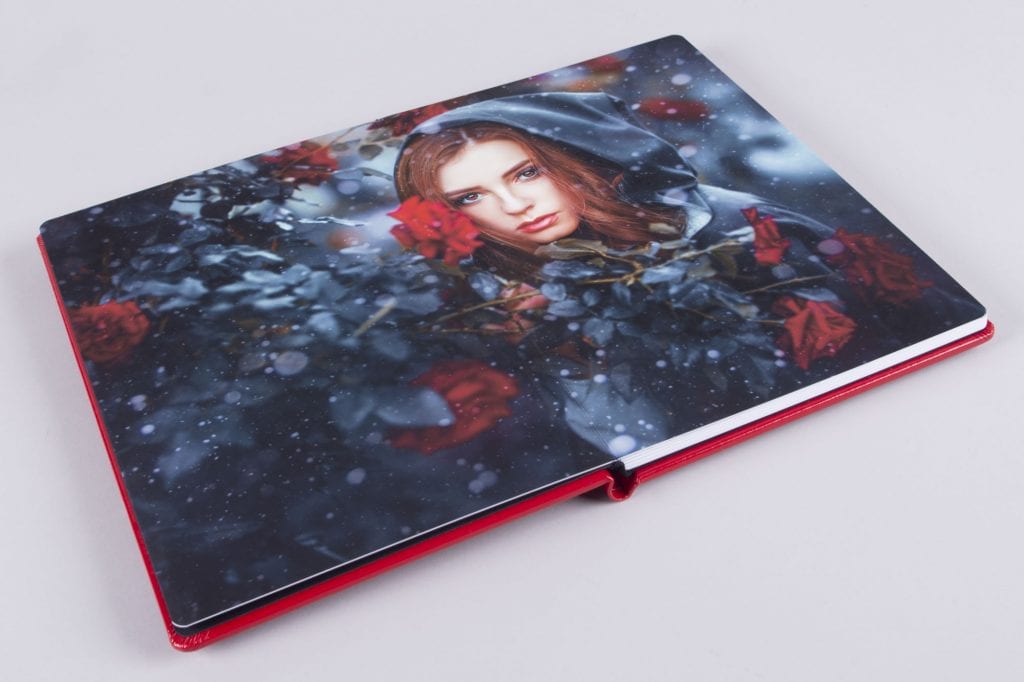
An album lets your photographs tell the story together.
02 / Find a format
Choose what you will enjoy living with
Albums and photo books
An album brings the day together in sequence and is easy to share. Compare paper, binding, cover options and layout. Check how photographs cross the centre fold and whether the supplier provides a proof before printing.
Framed prints
A single favourite image can make a lovely focal point. Consider the frame, mount, glass and the light in the room. A mat can create space around the image and help keep it away from the glass.
Print boxes and gifts
A small set of loose prints is flexible, easy to share and can be added to over time. Prints for parents or friends can make thoughtful gifts without requiring a complete album.
Start small
Printing does not have to be an expensive project. Choose a handful of favourites first and build a collection later. Ask the lab about paper, finish and pricing so you can compare options.
03 / Prepare your files
Get prints that look their best
Use the high-resolution files provided by your photographer, not images saved from social media or a screenshot. Check your agreement for personal printing rights and ask your photographer or print lab if you are unsure which files to use.
Print size depends on the image’s pixel dimensions and the lab’s requirements. A common starting point is around 300 pixels per inch for close viewing, although larger prints viewed from further away may work well at lower resolution. Ask your lab to assess the file, especially for a large enlargement.
Review the crop before ordering: a photograph and a standard print size may have different proportions. Allow space around important details, and ask whether the lab automatically applies colour correction. Screens and paper display colour differently, so a test print is useful for a large order.
Before you order
- Choose your high-resolution finished files.
- Check printing permissions and image dimensions.
- Preview the crop and album layout.
- Compare paper finishes and ask about colour correction.
- Order a sample if the result matters for a large print.
04 / Keep them safe
Care for prints and digital files
Keep prints and albums away from direct sunlight, excessive heat and humidity. Handle photographs with clean, dry hands and ask your print lab about suitable archival storage materials and framing for the products you choose.
Prints can fade or be damaged, so they complement digital backups rather than replacing them. Download your high-resolution gallery and keep multiple copies, including one separate drive or trusted cloud service. Check that your copies open and review them periodically.
Want to know more about the files you receive? Read why photographers usually deliver edited images rather than RAW files.
A print and a backup
Give your favourites a place in your home, and keep your digital collection safely copied in more than one place.
The details, answered
Wedding photo printing FAQs
When should we print our wedding photographs?
Whenever you are ready. Once your edited gallery arrives, save the high-resolution files and begin choosing favourites. You can start with a few prints and create an album later.
Can we print our wedding photos ourselves?
Check your photographer’s agreement. Many galleries include personal print rights, but permissions and file delivery vary.
What file should we use for printing?
Use the high-resolution edited file supplied by your photographer. Ask your lab about dimensions, colour settings and crop for your chosen size.
Do printed photographs last forever?
No print is immune to fading or damage. Longevity depends on materials, display and storage conditions. Ask your lab about its products and care guidance.
Do prints replace digital backups?
No. Keep separate digital copies as well as any prints or album, and check your backups periodically.
Let’s create something meaningful
If you are planning your wedding, I would love to hear about the people and moments you want to remember.
Tell me about your day